
1/8
Model Overview & Print Notes
Use our simple program to create 3D scans.
Our 3D scanner is one of the best on the market!
What can ours do that others can't?
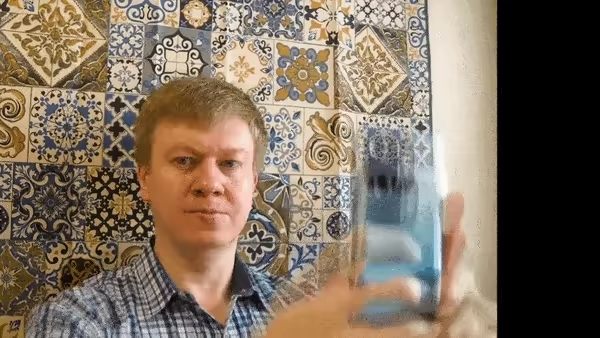
With our scanner, you only need to take 2 pictures, not several hundred. You can take pictures on your phone, in games, etc. As long as you can take a picture from the right and the left, you can create a model!
It's the easiest scanner you can use. It's a "Stereoscopic 3D scanner," which means that it's only from one angle; you won't be able to make a model that goes all the way around.
___________________________________________________________________________________
How does it work?
Before you buy the program, please make sure that the objects you need can be scanned in principle. This is a fantastic program, but often a stereo pair may not contain the information to build a quality 3D object. To better understand the capabilities of the program, please take a look at this brief illustrated manual (in PDF).
https://drive.google.com/file/d/15goxWi_ZoEB03AxvQ2zXat5VdKoVfwGv/view?usp=share_link
___________________________________________________________________________________
This program has the following features:
- 3D Scanner
___________________________________________________________________________________
Slicer Settings:
- Material - Everything should work, but the following are guaranteed (PLA, PETG, ASA, ABS)
- Infill - From 5%; more infill is just for weight or durability
- Walls - 2
- Layer Height - Everything should work, but 0.2 is guaranteed
- Support - None
___________________________________________________________________________________
Good to know:
The program saves the resulting Amazing.stl file in the same directory as the program.
By downloading, you will receive the Amazing STL Creator.exe program.
Please note: you are downloading a program to generate STL files, not a printable STL file itself!
The application is for Windows only (Windows 7, 8, 10, 11). If you have macOS or Linux, you can use the additional program WineHQ to run this application.
___________________________________________________________________________________
Want the complete set of applications?
- ASC1: Dual text illusion - https://www.crealitycloud.com/model-detail/662f6986e6946c4a5e18e13d
- ASC2: Text spinner - https://www.crealitycloud.com/model-detail/662f6cf28e22f8a77fd8f32c
- ASC3: Switchable business card - https://www.crealitycloud.com/model-detail/662f6f3c8e22f8a77fd8fa1b
- ASC4: Dual sided keychain - https://www.crealitycloud.com/model-detail/662f7121e6946c4a5e18f969
- ASC5: Decoration - https://www.crealitycloud.com/model-detail/662f7704e6946c4a5e190e8a
- ASC6: Cookie cutter - https://www.crealitycloud.com/model-detail/662f78fa8e22f8a77fd9197d
- ASC7: Lithophany and bas-relief - https://www.crealitycloud.com/model-detail/662f7cf48e22f8a77fd92590
- ASC8: Bobble head - https://www.crealitycloud.com/model-detail/662f83078e22f8a77fd9395a
- ASC9: 3D scanner - https://www.crealitycloud.com/model-detail/662f8629e6946c4a5e194002
- ASC10: Flexy - https://www.crealitycloud.com/model-detail/662f88b5e6946c4a5e19489d
- ASC11: Articulated - https://www.crealitycloud.com/model-detail/662f8a44e6946c4a5e194dfd
__________________________________________________________________________________________
Please note that your operating system may warn you when opening a program from an unregistered publisher. This is a normal situation, as it is difficult for an individual author to get into the publisher registry. Therefore, I guarantee with my reputation that the program is safe for your computer, and the only thing it does is write an STL file to disk.
By purchasing this program, you may create an unlimited number of models for personal use.



💬CrealityCloud Community Comments(...)
★CrealityCloud Original Reviews