
1/9
Model Overview & Print Notes
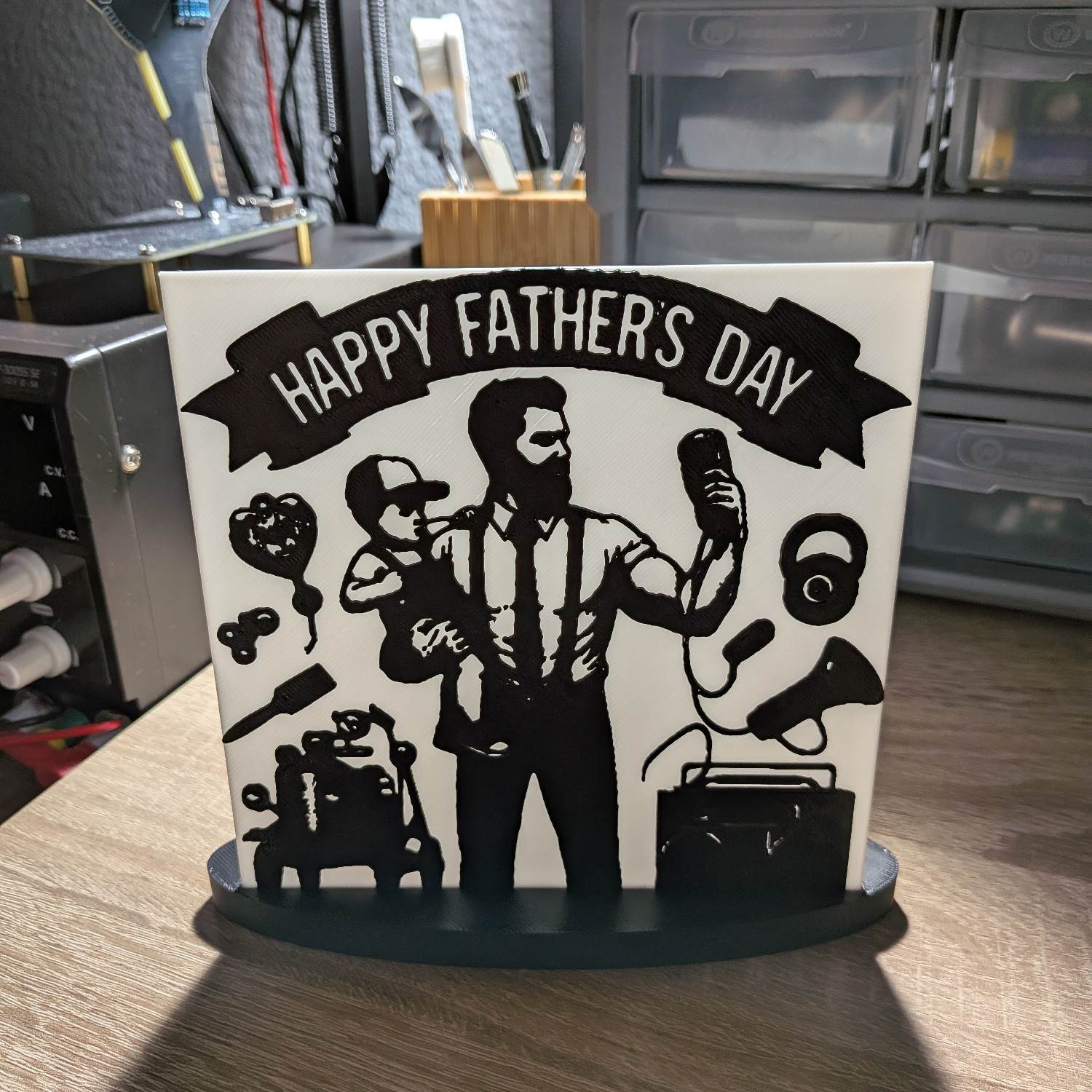
Father’s Day Special: 3x 3D Print Fun!
🎁✨
Make this Father’s Day unforgettable with three unique 3D-printed designs!
Beautiful as mood lights or decorative pieces, each with sturdy feet to stand proudly on any surface.
🛠️ Perfect for everyone:
No soldering skills? No problem! The designs can be used right away as decorations.
Want to add LEDs? If you can solder, personalize them with lights for an extra special gift!
🔵 What’s included:
Three different designs, each with their own style and character.
Versatile use: as a functional lamp or a stylish Father’s Day decoration.
💡 Easy to make. Amazing to give. Perfect for every dad!
Also check out my youtube channel and support me by subscribing and possibly watching!
www.youtube.com/@ElektroTechNL
http://www.youtube.com/@ElektroTechNL?sub_confirmation=1
UPDATE! New Feet Now Available Check the Main Link Listed on This Page!
Discover the new feet for your images, also known as faceplates! These practical and stylish additions are available in both half-round and square designs, making it simple to create a stable base without needing to print or build the entire light. The best part? No soldering required!
For a sleek and professional touch, position your image at a slight 5-degree angle. This gentle backward tilt enhances both the aesthetic appeal and visibility of your design.
Set the infill to 15% to achieve the ideal balance between strength and weight, or customize it to suit your needs. Whether you're a beginner or a seasoned maker, these new feet provide flexibility, convenience, and a perfect finish to your creations!
Explore the main link to get started with your new feet today!
If you don't have the lamp yet, take a look at my first post with more explanation, see link below.
Creality Cloud -Slayer Lamp (DIY) With Easy Solution To Change Front ! From ElektroTechNL
https://www.crealitycloud.com/nl/model-detail/67640b2ae5041246fc99e8fa
If the link doesn't work, take a look at my main page. There are also more fronts for the lamp there!
Important printer settings below.
You need to manually add a pause or filament change at layer 5 (1.00 mm height) during the print. This pause allows you to customize the front panel’s design with your desired color, ensuring the image stands out as you intended. Always start with white and change the color to your liking during the pause! Some software may have issues with the Z: settings, so make sure your object is flat or adjust the pause earlier or later if necessary. If everything is fine, the pause at layer 5 should work. For the new Creality print software, there may be Z: settings issues, so pay close attention. In the latest software, I had to set the pause at layer 6. Of the 10 layers for the front, it must always stop at layer 5 if the object is placed correctly at the bottom Z:0.
For successful printing and assembly, I recommend the following settings:
Pause/Color Change: Don’t forget to pause or change the color at layer 5 (1.00 mm height) to your desired color. Always start with a white background!
Infill: For the front panel, use 100% infill).
Material: Hyper PLA or any other PLA (for the front panel, always start with white).
Quality: Standard (0.20 mm layer height).
Support: None.
Printer: Creality K1 Max.
LED Strip: COB LED, 12V, 8 mm width (color and width customizable).
Additional Notes:
Feets Seam position on the back!
The small details are best highlighted when the light is on!
Personally, I think black and white look best because they distribute light more evenly and don't let it shine through. However, the colors are also nice, offering plenty of creative possibilities.
You can customize the color of the feet, housing, etc., but make sure to pay special attention to the front panel and don’t forget the pause!
If you don’t want to build the lamp, no problem! You can also use the design as an image or decoration piece.

💬CrealityCloud Community Comments(...)
★CrealityCloud Original Reviews