
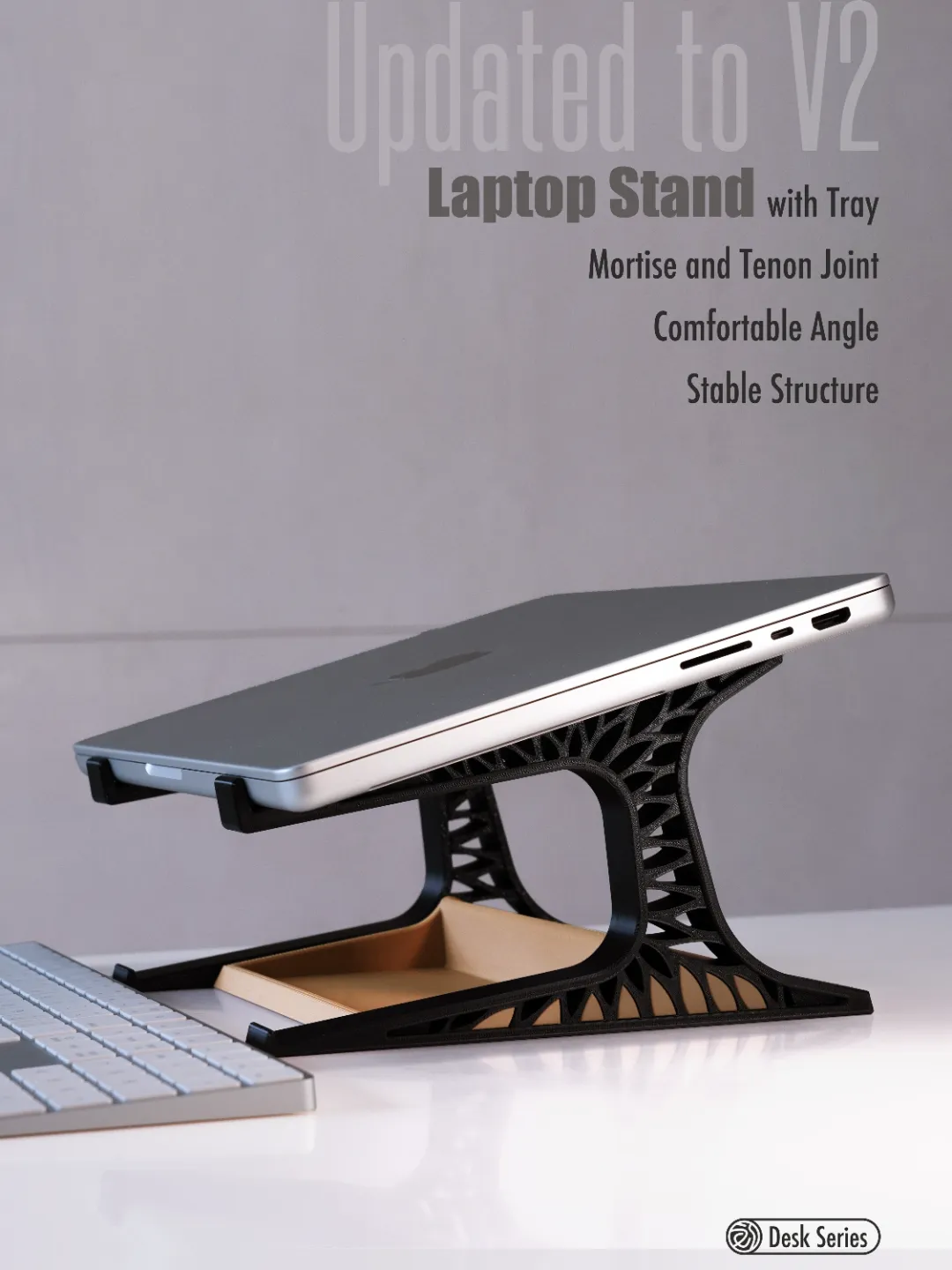
Model Overview & Print Notes
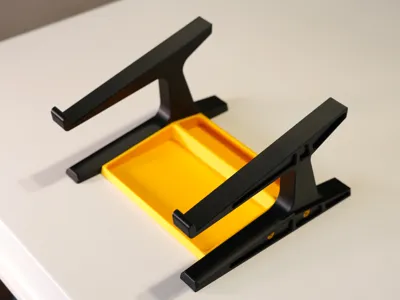
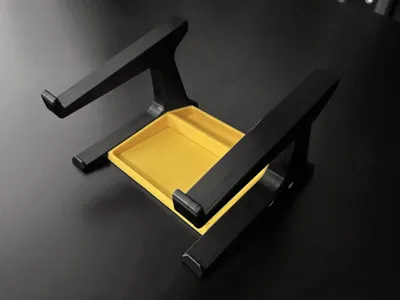
Ergonomic Laptop Stand|With Tray|Comfortable Angle|Flexible Disassembly|Mechanical Structure
Important Reminder (Please read carefully before printing, why are there always people who don't read the description?)
- You must use different types of filament for the support contact surfaces, this uses the property that different materials do not adhere to each other to get a smooth support interface.
- This support is very easy to remove, if you cannot remove the support, the material selection is definitely wrong.
- Only correctly printed parts will ensure smooth assembly, every tenon and mortise must be smooth, please inspect carefully and remove any burrs.
- The print plate needs to be thoroughly cleaned, the filament must be fully dried (humidity below 10%), please pay close attention to the printing status until the first layer is perfectly printed.
In the provided print profile:
The main stand is PETG Basic, the support contact surface should use PLA Basic (the V2 version main stand does not need support);
The tray (connector) is PLA Basic, the support contact surface should use PETG Basic.
Note: If you insist on using the same type of filament for printing support, you must reset the support parameters in Bambu Studio otherwise the support will not be removable!!!
So: ***It is strongly recommended to print according to the provided print profile***
If the meaning of this explanation is still unclear to you, please read the comments in the discussion section to gain a full understanding.
2026/05/16 Update, added new V2 version
V2:
- Natural hollowed out design language, elegant and fresh appearance
- Lighter structure, more mechanically sound, and stronger and more stable
- 16 mortise and tenon joints provide strong connection stability
- Continues the design features of the V1 version, using the tray as a connector for a more secure tray
- Continues the design features of the V1 version, includes a placement area for an external keyboard
- Maintains the same comfortable angle as the V1 version
- Can still be flexibly disassembled
V1:
- V1 has two versions: Standard version, larger size, more stable support. Compact version, suitable for A1 mini printing, also very stable.
- With tray, both connectors also function as storage trays that can hold stationery and other items, and there is also a place for an external keyboard.
- Comfortable angle: 75 degrees, 140mm lift
- Flexible assembly and disassembly
Assembly Tips:
Before assembly, carefully inspect the tenons and mounting holes, and clear any burrs that may exist. (Insufficient filament drying may lead to printing defects)
Assembly is very easy, it can be used without assembly, but installing the tray (connector) will create a rigid overall structure that is more practical and convenient.
V2:
Simply insert the mortise and tenon, the tolerance is tight and you need to tap firmly with the palm of your hand. They are labeled left and right (R&L), align them to install.
Just like a carpenter assembling furniture, tap evenly. Do not use a metal hammer, do not rock side to side.
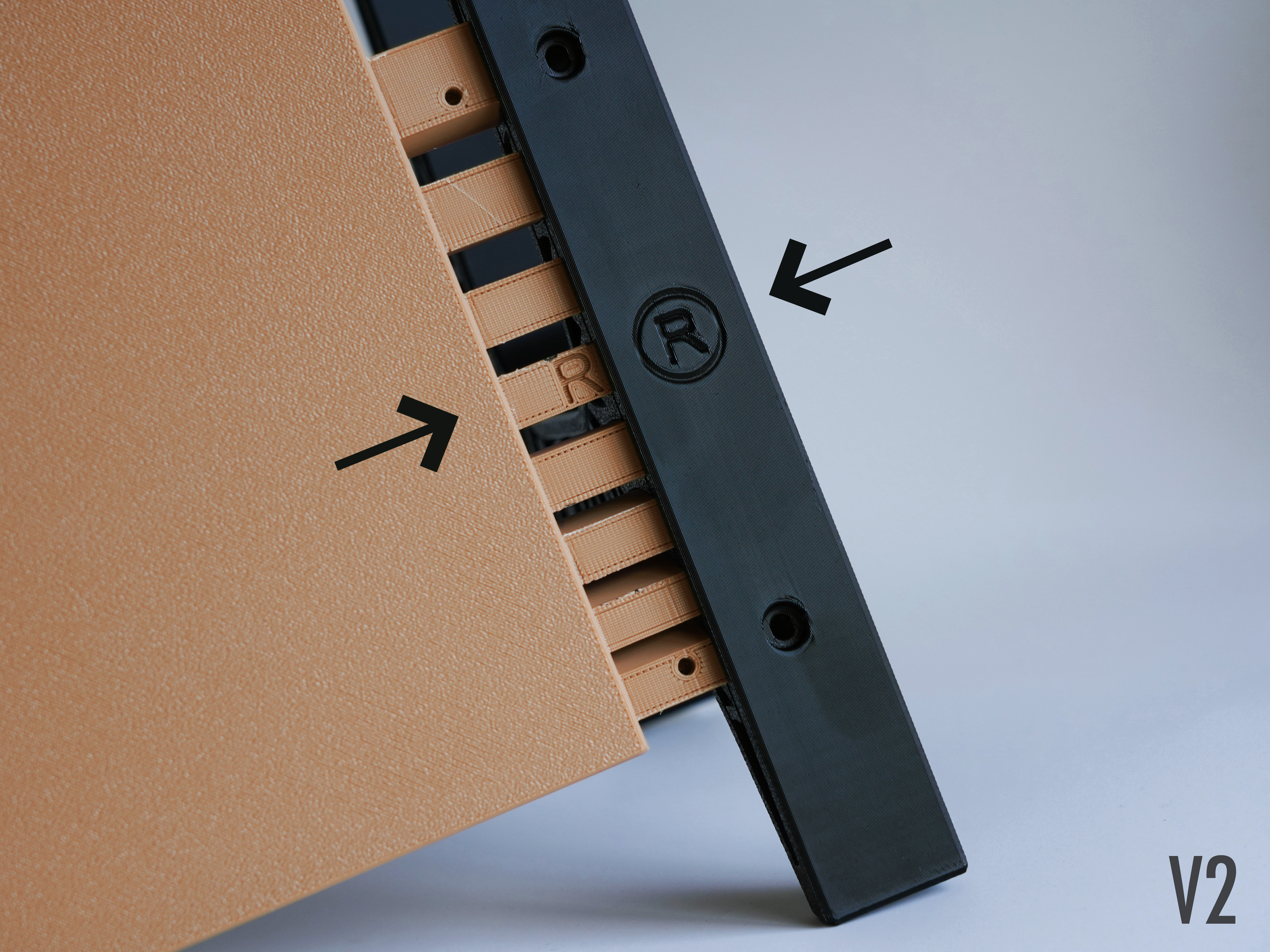
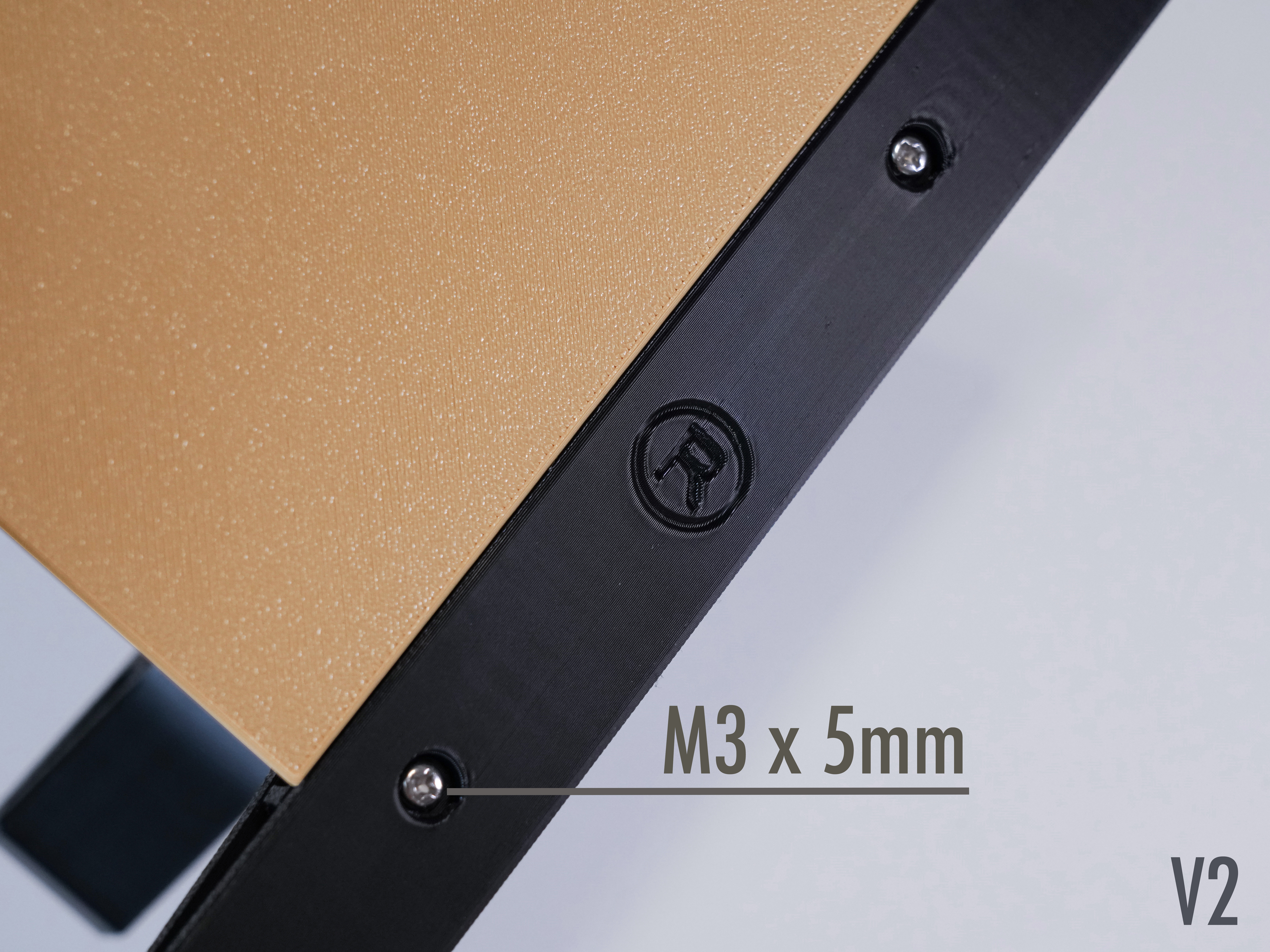
Once installed in place, secure with 4 M3x5mm screws (not required, but using screws prevents accidental loosening for greater durability)
V1:
The connectors use a mortise and tenon structure, secured with a printed 7mm screw.
The mortise and tenon tolerances are designed to be tight, if you need to disassemble you may need to gently tap it off little by little with a hammer.
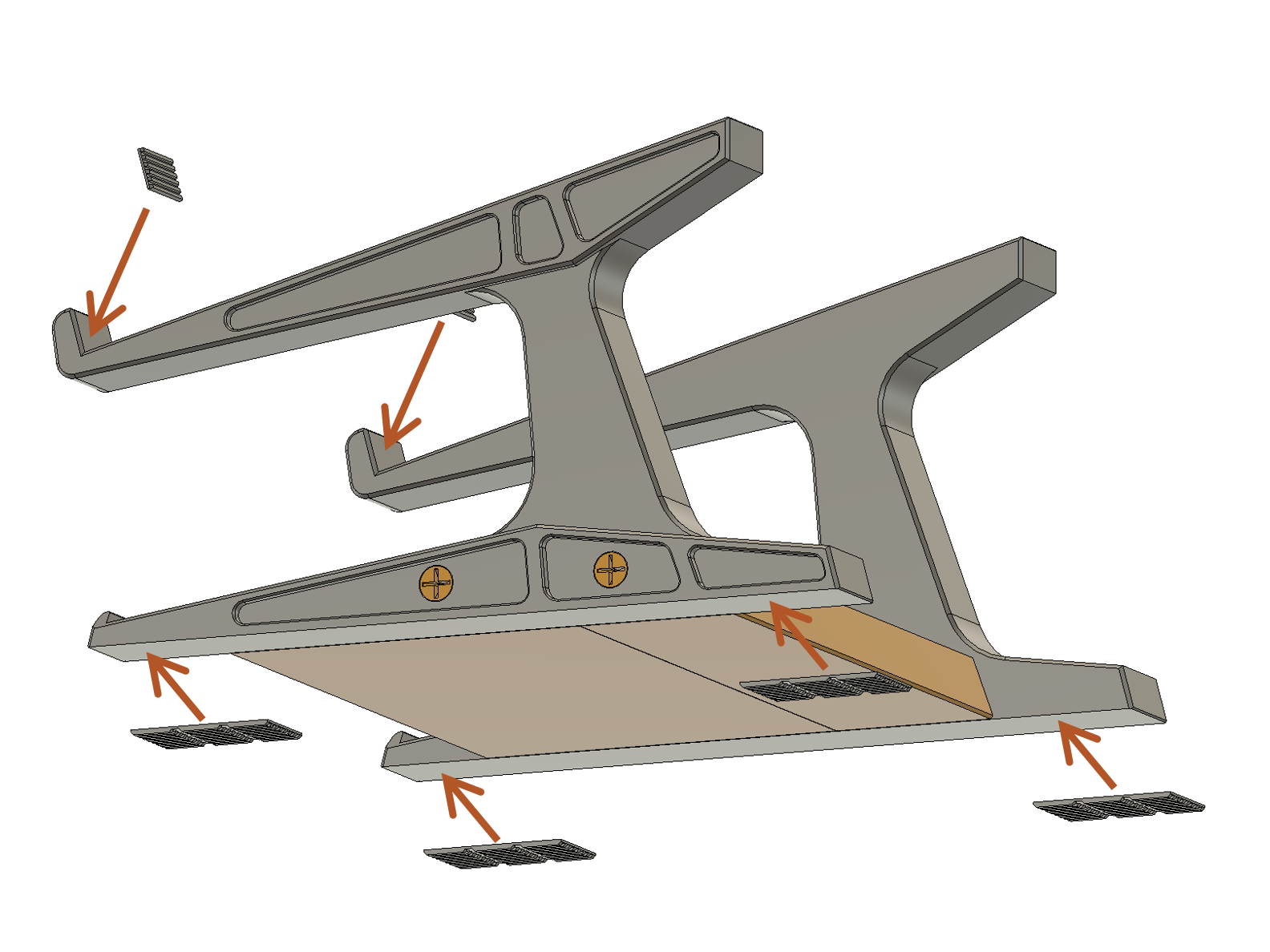
2026/04/24, added TPU non-slip pads, which need to be attached with double-sided tape. Fits both V1 and V2 versions
The small non-slip pad goes on the front hook position,
There are two types of large non-slip pads: 1. The toothed one is thicker but has better anti-slip effect, 2. The non-toothed one has a smooth surface and is very thin.
---------------------------------------------------------------------------------------------------------------------
Other desk accessories available for download:

There are also other daily items available for download











💬MakerWorld Community Comments(331)
★MakerWorld Original Reviews