
Model Overview & Print Notes
Overview
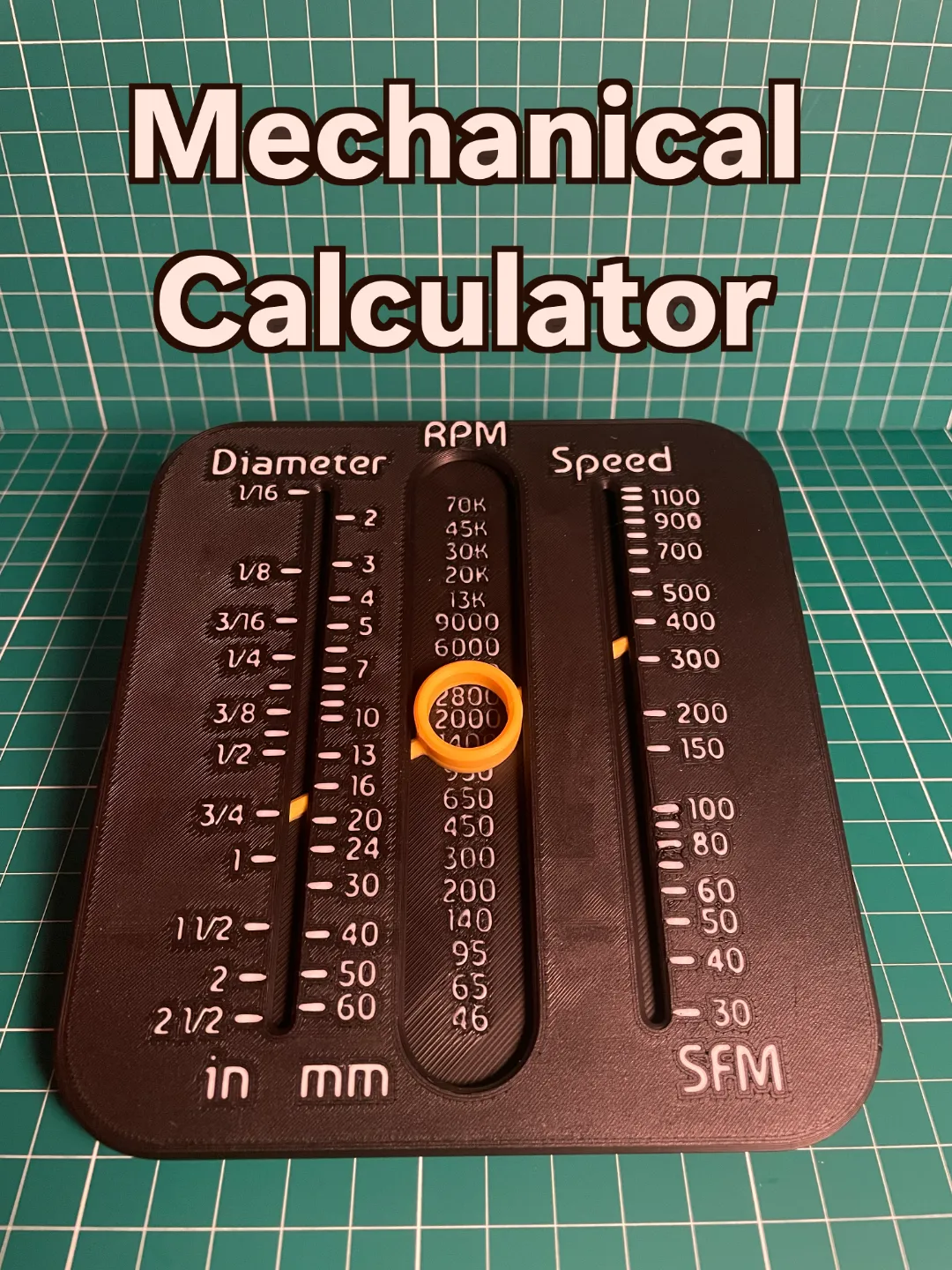
This is a mechanical calculator that allows you to figure out the rpm that you should be machining at just based off the diameter, rpm, and material. It works based off the simple machining equation of “RPM = (SFM × 3.82) / Diameter”. This device simply takes that equation, which can be used for drills, mills, lathes, and many other machines, and converts it into a physical device.
Tips for printing
Standard settings can be used. It does not need to be extremely strong or durable. I used 2 walls and 15% infill. An AMS or dual nozzle is needed to be able to create the text. You may want to also slow down your first layer speeds because of the text.
Assembly
To assemble the model, just simply place the pointer piece into the top shell and slide on the back cover. The back cover should click into place once it is fully in.
How to use it
To calculate the RPM, you simply need to find out the SFM for your material and cutting tool and the diameter of the tool (or part on a lathe). For figuring out the correct SFM, you can use the table on the back. You just need to choose your material and if you are cutting with carbide or high-speed steel tooling. The value you get from here can be pointed to with the pointer on the speed side of the device. Next, the diameter of your cutting tool (or part for a lathe) can be pointed at with the left-side pointer. Then you can just read the approximate value for the RPM that is in the ring in the center.
Extra notes
If you have any comments or questions, feel free to leave them in the comments or private message me.






💬MakerWorld Community Comments(16)
★MakerWorld Original Reviews