
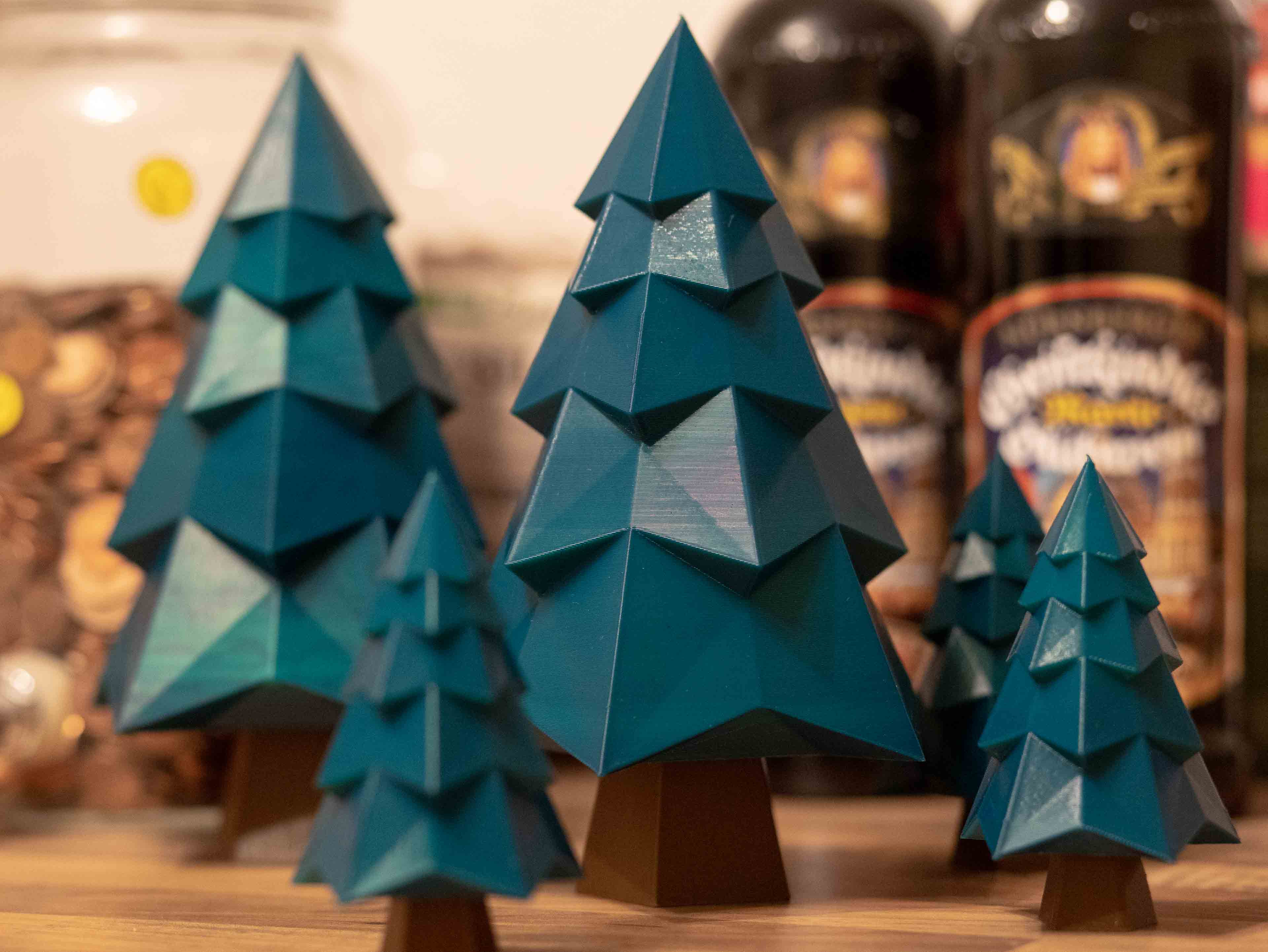
Model Overview & Print Notes
Summary
Ho ho ho, everyone!
Check out this low poly christmas tree I made.
Updated version with softer overhang angles, all below ~65° according to blender.
Please share your ideas and suggestions :-)
Prints in under 4h with a 0.6mm nozzle, which I recommend for the look. No support needed, but brim is highly recommended.
Intended height for the green branches is 18cm or ~7", but 50% size seems to pass as a nice decoration item as well.
Print Settings
Printer:
Prusa Mini+
<p class="detail-setting rafts"><strong>Rafts: </strong> <div><p>No</p></div></p> <p class="detail-setting supports"><strong>Supports: </strong> <div><p>No</p></div></p> <p class="detail-setting resolution"><strong>Resolution: </strong> <div><p>0.3mm (0.6mm nozzle)</p></div></p> <p class="detail-setting infill"><strong>Infill: </strong> <div><p>no</p></div></p> <strong>Filament:</strong> Das Filament PLA Christmas Tree Green (really!) <br> <p class="detail-setting notes"><strong>Notes: </strong> </p><div><p>Prusa slicer settings:</p><ul><li>0.6mm nozzle</li><li>0.3mm resolution (called <em>0.30mm QUALITY</em>)</li><li>2 circumference layer (standard)</li><li>Brim</li></ul><p>I don't recommend super glue 'cause it is turning white and vaporizing on your prints. Getting ugly really fast. Use hot glue oder plastic miniature model glue - this connection is cosmetic only.</p><p>If you wanna print the trunk with a 0.6mm nozzle, you can set the circumference layer number to 1 and save some filament. But only print one trunk at a time with this setting as the stability is dependent on a nozzle staying on the same circumference.</p></div>Preview
Totally realistic rendering of what you're about to print. Ho ho ho!

Fun with Geometry
It all started with a decagon.
While I modeled this christmas tree in blender, I accidentally came across interesting geometrical alignments and patterns. I tore down the model a few times just to remake it with those new rules I found intruiging.
Each branch layer aligns with the preceding one, each branch layer progresses in height in a specific way, but still, every other edge flows into the layer below.
Have a look from the top down:




💬Thingiverse Community Comments(5)
★Thingiverse Original Reviews