
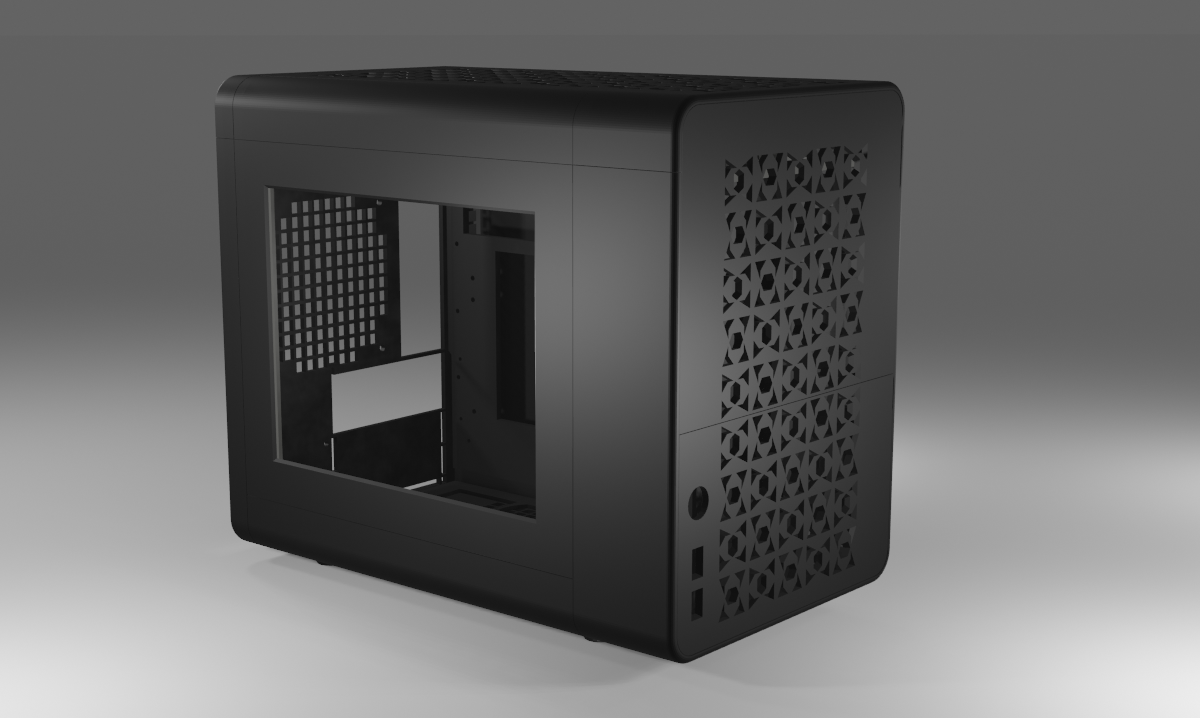
Model Overview & Print Notes
Summary
ERROR 404 APPEARS WHEN TRYING TO "DOWNLOAD ALL" THE FILES.
SOLUTION: Click where it says "Thing files" below the pictures, from there you can manually download all the required files one by one.
Watch the full build video here: https://youtu.be/yp67qvfYZVM
Please make sure your printer is properly calibrated before even attempting to print this. I recommend a 100x100x100mm calibration to get most accurate results. Proper calibration is key to a nice looking case.
Required printbed: 300x300x300mm.
KEY FEATURES:
- Support for both mATX and ITX motherboards
- GPU up to 320mm
- Support for one 240mm AIO cooler
- SFX Psu
- 4x 2.5 HDD or 2x 3.5 HDD
- 3 intake fans and 3 exhaust fans
Do you enjoy my work and want to support me? Buy me a coffee!
https://www.buymeacoffee.com/makerunit
SCREWS AND OTHER REQUIRED TO BUILD CASE:
8 • 5x30mm wood screw (for attaching main chassis both sides)
14 • 3.5x16mm wood screw (for magnet mounts, usb bracket, upper front chassis)
13 • M4x12 machine screw (for motherboard, frame brace, gpu)
11 • M4 nut (for motherboard, frame brace, gpu)
12 • 8x3mm Neodymium magnets (for magnetic front panels)
TO MOUNT HARD DRIVES:
4 • "6-32" computer screw (mounting brackets to motherboard plate) (found in screw kit)
4 • M3-0.50 screw (mounting bracket to HDD) (found in screw kit)
Print Settings
Printer Brand:
Creality
<p class="detail-setting printer"><strong>Printer: </strong> <div><p>CR-10</p></div></p> <p class="detail-setting rafts"><strong>Rafts: </strong> <div><p>No</p></div></p> <p class="detail-setting supports"><strong>Supports: </strong> <div><p>No</p></div></p> <p class="detail-setting resolution"><strong>Resolution: </strong> <div><p>0.6 nozzle, 0.4 layer height</p></div></p> <p class="detail-setting infill"><strong>Infill: </strong> <div><p>10-20%</p></div></p> <strong>Filament:</strong> No specific brand PETG Black <br> <p class="detail-setting notes"><strong>Notes: </strong> </p><div><p>Total print time for me was around 80 hours. I used a 0.6 millimeter nozzle and a 0.4 millimeter layer height. Print time may vary depending on your specific settings but I highly recommend using a 0.6 nozzle as it cuts print time in half compared to the 0.4 nozzle without much loss in detail.</p><p>"Ears" added to some parts to help corner adhesion and reduce risk of lifting corners.</p><p>Most parts require no supports.</p><p>Parts that require support material: </p><ul><li>mATX_window_frame.stl</li><li>mATX_lower_front_chassis.stl</li></ul></div>




💬Thingiverse Community Comments(18)
★Thingiverse Original Reviews