
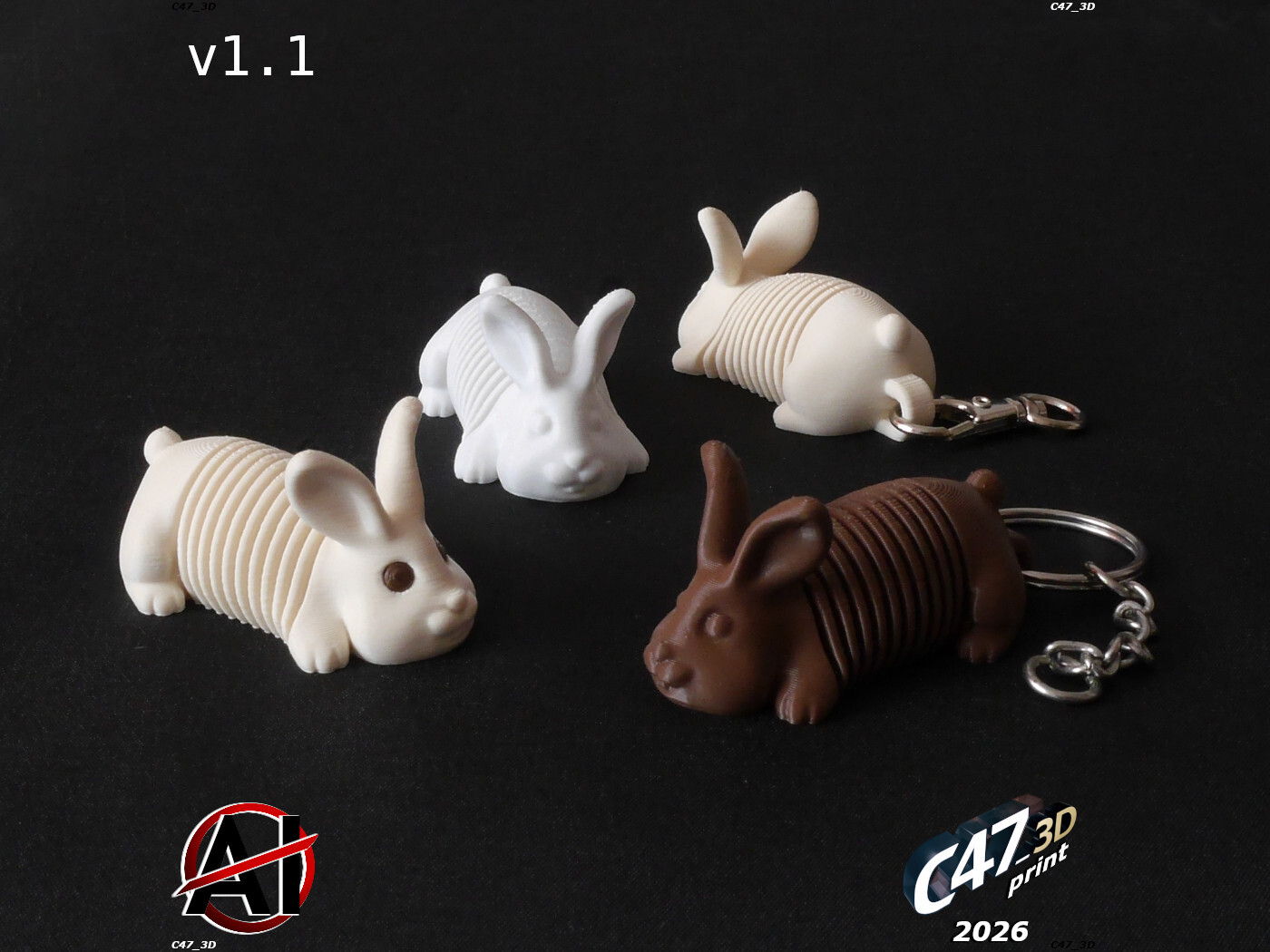
Model Overview & Print Notes
Summary
Small Bunny with a springy body
Version 1.1
17 V 2026
Can be printed in parts (body + eyes)
Optional keyring or space for 5x5mm magnet
Additional files for a multicolor print
If you want to sell prints of this model you can buy a commercial license here
https://cults3d.com/en/3d-model/game/springy-bunny-commercial-license
Video with version 1.0:
https://www.instagram.com/p/DHaqs1rNkXZ/
V1.1
https://www.instagram.com/reel/DYcZ9QXNSdL/
Check my Flexi models: (there is more in my profile but we can add one model to only one collection)
https://www.thingiverse.com/c47_3d/collections/42999523/things
Update 08 IV 2025
Small fix to base models. I noticed that a part of left ear was cutted off
Update 17 IV 2025
Added Big-gaps versions. Gaps between coils are now 1mm instead of 0.5mm. Also this models are 5mm longer
Print it if coils of a spring happen to ‘fuse’ in printing (usually it's because of stringing or too much flow)
Update 17 V 2026
Version 1.1
Easier to print than older model
Base model slightly improved (angles, roundness, little thicker ears)
Spring changed to more stiff but much more durable
Added files for multicolor print
Older files added in zip file
Print Settings
Notes:
0.1-0.2mm layer height
7% gyroid infill
2-3 walls
May be harder to print than typical models
You will need a good bed adhesion and a good cooling
You may be needed to separate spring coils from each other after a print. Usually just with your finger nails, in some more rare cases with a thin knife (scalpel)
It mostly depends on your seam settings and filament stringing
If you will have problems with a nozzle knocking out spring parts you can use ADDON_Spring-joiner wich will connect spring parts on the bottom with two lines - you will need to cut it with a knife after a print
ADDONs should be merged with base model (except ADDON_Magnet)
If you want a magnet inside add a 'negative volume' and select ADDON_Magnet_5x5mm or add a cylinder with proper size (0.1-0.2mm bigger diameter than a magnet and 0.2-0.4mm highier)
Also you will need to add a pause - usually on the first layer where the magnet hole is closing
MULTICOLOR
Select a base model and all of MULTI files, then drop them in slicer, merge together and select color for each part
Multicolor files are with a 'frame' that helps with models aligning
DO NOT try to 'repair' the models - frame will not be printed and it's not causing any problems with slicing
Colors
Body - creame
Light - white
Black - black or dark brown
Pink - light, desaturated pink
Tips if the model is breaking
Filament should be dry and with good self adhesion
Printing with wet filament will make the model more brittle (especially PLA) and model may break when stretched
Silk filaments (especially dual or tripple color) and the ones with particles (like 'marble') may not be a good option - but it all depends on the filament
You can try printing it slower, bonds between layers should be stronger






💬Thingiverse Community Comments(2)
★Thingiverse Original Reviews